StrategyQuant X (SQX for short) builds trading strategies without you writing a line of code: you set market, timeframe, building blocks and requirements, the program combines entry and exit rules, tests them and exports the best as an Expert Advisor for MetaTrader. This tutorial walks through the typical route from a fresh install to a forward test, step by step, using the menu names from the vendor's documentation. What the software costs and does is covered in our StrategyQuant X review.
Chapters
What you should know first
You need: a capable computer (per StrategyQuant's FAQ at least a dual-core processor, 8 GB RAM and 250 GB free storage; ideally 32 to 64 GB RAM and many cores), a licence or the 14-day trial, MetaTrader 4 or 5 with a demo account for the retest, and plenty of patience. Per the documentation, a build run takes minutes to days.
Which edition includes what decides how far this tutorial takes you (as of 2026-11-06, per our review):
| Edition | Price (one-off) | For this tutorial |
|---|---|---|
| Trial | free, 14 days | full functionality, no credit card |
| Starter | $1,290 | steps 1 to 6 limited: no advanced robustness tests, Optimizer or Custom Projects |
| Professional | $1,490 | all steps; updates for one year |
| Ultimate | $2,900 | all steps, plus QuantAnalyzer Pro and lifetime updates |
SQX runs on Windows, Mac and Linux and exports source code for MT4, MT5 (hedging and netting), TradeStation, MultiCharts, JForex and, since build 145, NinjaTrader 8. Build 145 also added the AI assistant Q, which builds strategies from a plain-language description and uses credits. This tutorial takes the classic route through the modules; Q does not change the fact that the same checks are needed at the end.
Why a strategy generator can fool you
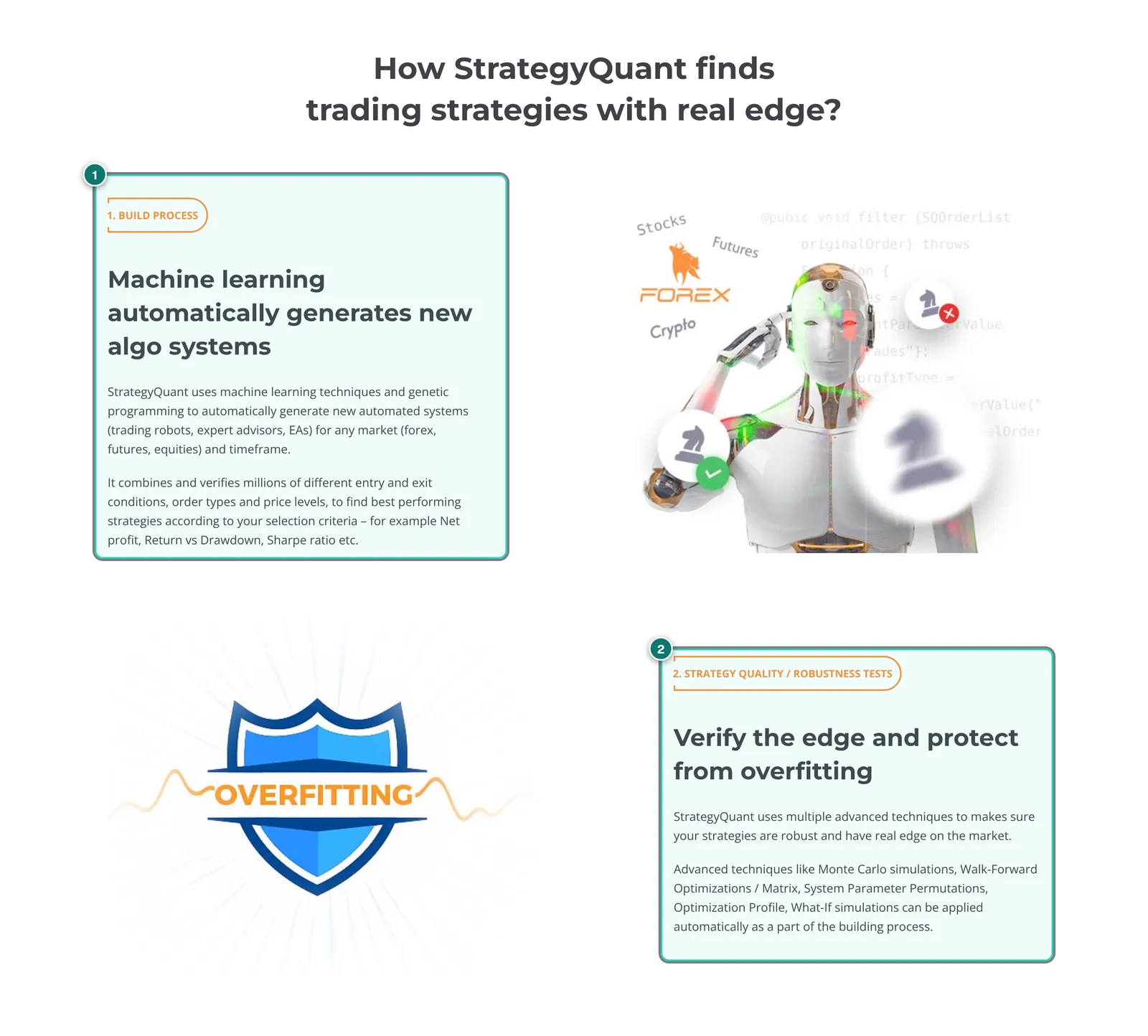
Before you start, the most important point: a generator always finds something that looks good. If you test a million rule combinations on the same ten years of EURUSD, some of them will fit that exact past brilliantly by pure chance. This is data-mining bias: the more variants you search, the more certain the lucky hit and the less the best curve means. StrategyQuant's documentation says so itself: it is not difficult to generate strategies with a great equity curve, and generating is only about half of the work. Per the introduction page, only about one in a thousand profitable generated strategies passes the robustness tests.
Curve fitting (overfitting) is the other half of the problem: a strategy with many conditions and finely tuned parameters describes the past, not the market. It fails as soon as prices behave slightly differently. What that looks like in live trading is shown in Why EAs fail live.
Every step below therefore serves one goal: weeding out lucky hits as early as possible. A candidate that passes all checks is not yet a profitable EA, only a candidate that deserves a forward test.
The workflow at a glance
- Set your goal and prepare the trial
- Load data and check its quality
- Set up the Builder: periods, costs, testing precision
- Choose building blocks and the build mode
- Set ranking and filters, start the build
- Check candidates in the Retester and with cross checks
- Walk-forward and Optimizer (Professional and up)
- Export to MT4 or MT5 and retest there
- Analyse in QuantAnalyzer and check the portfolio
- Demo and forward test, then small live
Step 1: Set your goal and prepare the trial
The trial runs for 14 days with full functionality and no credit card. That is tight when one build runs overnight. So decide before you start what you are looking for:
- One market, one timeframe: for example EURUSD on H1. Searching ten markets and five timeframes at once multiplies both data-mining bias and computing time.
- One core idea: trend following, breakout or mean reversion. SQX can build from your own templates, so the idea stays yours and only parts are searched. An overview of strategy types is in EA strategies explained.
- Hard exclusion criteria: for instance at most 20% drawdown, at least 300 trades in the test period, no grid, no martingale. Why martingale and grid are especially dangerous in a generator is covered in Grid and martingale EAs: the risks.
- The later use: if the EA is meant to pass a prop firm challenge, daily and overall loss limits belong in the filters now; see Passing a prop firm challenge with an EA.
Write these points down before you see the first result. Adjusting goals after seeing results is overfitting you build yourself.
Step 2: Load data and check its quality
Per our review, SQX ships free Dukascopy tick data for forex, CFDs and crypto with more than ten years of history; you can import your own data, and stock and futures data come as a subscription. You manage data in the Data Manager (QuantDataManager).
What matters:
- Tick or M1: tick data shows what happens inside a candle, M1 data only open, high, low and close of each minute. For strategies with stops of a few pips or short holding times this decides between profit and loss. Swing strategies on H4 are often fine with minute data.
- Gaps and outliers: check whether data is missing in the chosen period, such as on holidays or in early years. A gap can make a stop look skipped.
- Time zone and sessions: Dukascopy data and your broker may use different server times. Time filters such as "London session only" then shift.
- The data source is not your broker: even good third-party data is not the prices your EA will trade on later. That is why step 8 adds a retest on broker data.
What data quality looks like in the MetaTrader tester is explained in Backtesting and forward testing.
Step 3: Set up the Builder: periods, costs, testing precision
Per the documentation, every module (Builder, Retester, Optimizer, Custom Projects) has three views: Progress to start and watch, Full settings for all settings and Results for the results. The best strategies land in the databank at the bottom of the window. In the Data section of the settings you set:
- Trading Engine: the platform whose behaviour is replicated, such as MetaTrader 4 or MetaTrader 5. Choose the one you will export to.
- Symbol, timeframe and date range of the backtest data.
- Testing precision: the documentation names four levels: Selected Timeframe only (fastest), 1 Minute data, Real Tick – custom spread and Real Tick – real spread (slowest, for final verification). StrategyQuant recommends the fast level for searching and a more precise retest of candidates afterwards.
- Spread, slippage, min distance: set the spread to a realistic average at your broker, not the minimum, and allow at least one pip of slippage per order. Min distance is the minimum gap your broker requires for pending orders. What slippage is: What is slippage?.
- Commission & swaps: a separate dialog for commissions and swaps. Without commission, any strategy with many trades looks better than it is.
- Data range parts: history can be split into In Sample Training (IST), In Sample Validation (ISV), Out of sample and No Trade.
The last point is the most important in this tutorial. A proven split: around 60 to 70% of the data for training, a part for validation and at least 20 to 30% at the very end as out-of-sample that neither Builder nor Optimizer ever uses for selection. It also pays to put the last one or two years aside completely and check them only in step 8 in the MetaTrader tester. Every time you change something based on the out-of-sample result, that period becomes a little more in-sample.
Step 4: Choose building blocks and the build mode
Under What to build you set strategy type, direction and the Build Mode. Per the documentation there are two main routes:
- Random generation: SQX assembles strategies at random from the allowed building blocks, tests them and keeps what passes the filters. Per the documentation this is the foundation of StrategyQuant, and the building process is "completely random". It is broad but comparatively honest, because nothing is deliberately improved towards the data.
- Genetic evolution: a starting population of random strategies evolves over generations. The best are crossed and mutated, weak ones drop out. The settings in the documentation include Max # of Generations, Population size, Crossover and Mutation probability, Islands and Restart evolution fitness if... Per the documentation this should yield better and more stable candidates generation by generation. Our assessment: for exactly that reason this mode is more prone to overfitting, because evolution searches deliberately towards the training data; the validation period (ISV) is mandatory here.
For a start a middle way makes sense: random generation with strict filters, or genetic evolution with few generations and a real validation period. For building blocks, less is more. Allow a handful of indicators that fit your core idea, limit the number of conditions per entry and exit, and avoid exotic combinations. Every extra option enlarges the search space and with it the chance of lucky hits.
For money management in the Builder: test with a fixed lot size or fixed risk per trade. Raising lots after losses makes a curve smoother and the account more fragile. How to size positions for the real account is shown in Position sizing and risk per trade.
Step 5: Set ranking and filters, start the build
Under Ranking you decide which strategies stay in the databank (Maximum Strategies to Store in Databank) and when the search ends (Stop generation when). Two things work together:
- Scoring: the criterion used for sorting (Determine best strategies by), such as net profit, return to drawdown or Sharpe ratio. It produces the fitness, per the documentation a number between 0 and 1.
- Filters (Strategy filtering conditions, with Custom filters): rules every strategy must meet; if a strategy matches an exclusion rule, it is dropped. The workflow documentation recommends dismissing strategies with too little profit, too few trades or too low a profit factor, Return/DD or System Quality Number. The robustness documentation also names the ratio of out-of-sample to in-sample results as a measure of how much a strategy deteriorates on new data.
Practical starting values to adapt to your market: at least 300 trades in training, profit factor above 1.3, return to drawdown above 3 and an out-of-sample result not much worse than training. What the metrics mean is explained in Trading metrics: drawdown, profit factor and more.
Then start the build in the Progress view and let it run. Look at the databank now and then, but do not keep changing the filters: every adjustment after looking at the results is another optimisation.
Step 6: Check candidates in the Retester and with cross checks
Now the real work begins. Per the documentation, cross checks are optional automatic robustness tests that a strategy goes through after the first filters, from simple to complex. They can run in the Builder (strategies then drop out automatically) or later in the Retester for selected candidates. The documentation gives a typical order:
- Retest with higher precision: the same test at minute or tick precision. If the result drops clearly, the fast test level was misleading.
- Monte Carlo trades manipulation: existing trades are reshuffled (Randomize Trades Order) or randomly skipped (Skip trades randomly). Shuffling keeps the profit the same, but the drawdown shows its true range.
- Retest on additional markets: does the logic work on related markets or timeframes? A EURUSD strategy that fails completely on GBPUSD and AUDUSD is suspicious.
- Monte Carlo retest methods: full backtests under changed conditions, such as Randomize Strategy Parameters (shift parameters slightly), Randomize history data (alter prices slightly) or with different spread and slippage. Slow, but telling.
Per the documentation, cross checks take 10 to 200 seconds per strategy instead of around 0.2 seconds for generation alone. So stagger them: cheap checks in the Builder, expensive ones in the Retester. Advanced robustness tests start with Professional per the price table.
A candidate is robust if its result moves only a little with small changes to data, parameters and costs, and does not live on a few large trades. If it collapses with 20% more spread, it has no edge, only a cost margin that does not exist live.
Step 7: Walk-forward and Optimizer (Professional and up)
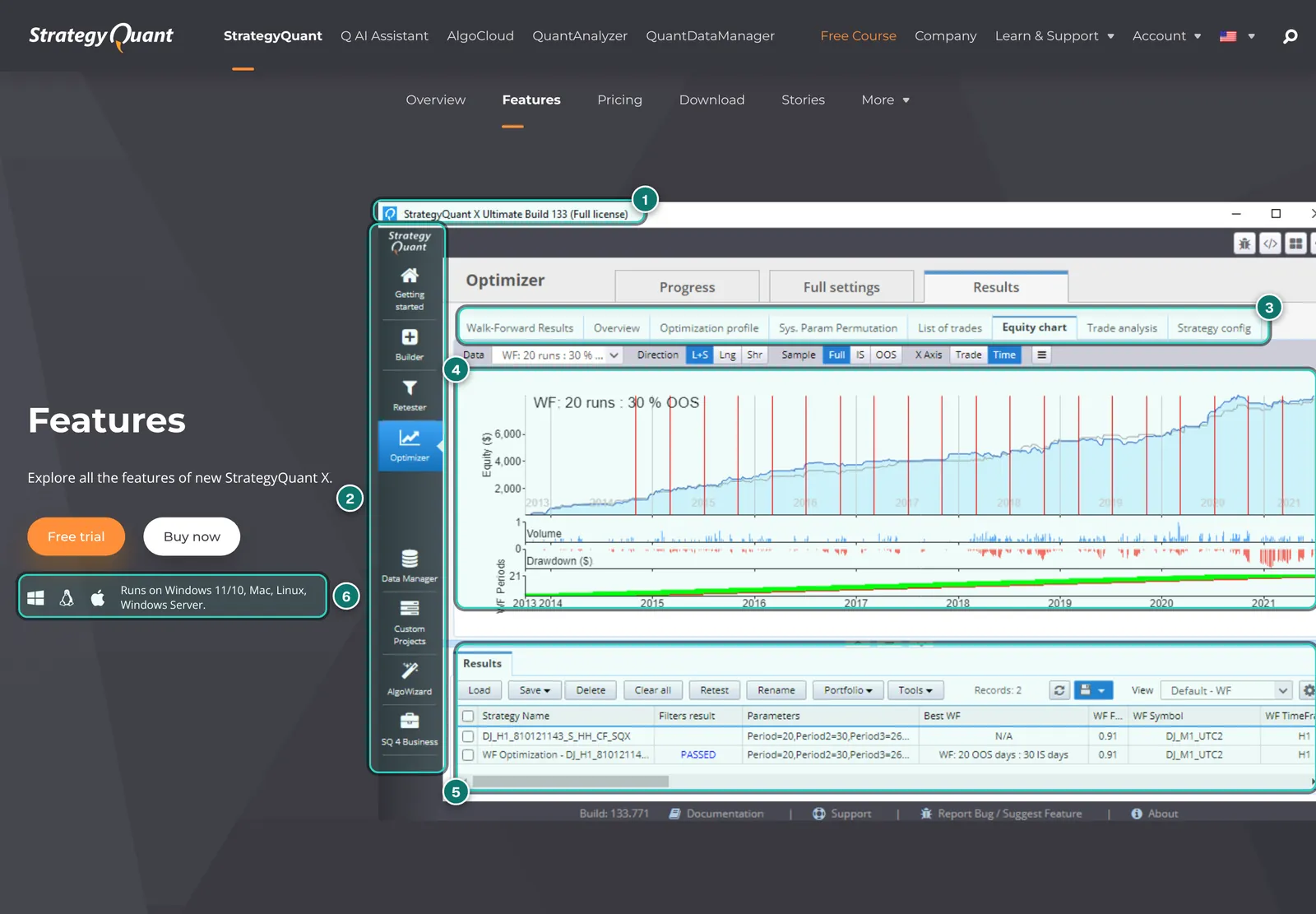
The Optimizer optimises parameters simply or in walk-forward mode. In walk-forward optimisation you optimise on one time window and test on the following, untouched window, then everything moves forward. The walk-forward matrix repeats this for many combinations of window size and number of runs and shows whether stable regions exist or only single lucky peaks. Per the features page, System Parameter Permutation and Optimization Profile also check whether a strategy only works with one exact parameter set.
What to look for:
- Broad plateaus, not peaks: good strategies work across a range of parameters. If only "period 23" makes money and 21 and 25 do not, that is noise.
- The walk-forward result counts, not the optimised one: what matters are the combined out-of-sample segments, even if they shine less.
- Do not optimise on the out-of-sample: the period set aside in step 3 stays off limits.
Per the price table, Starter has no Optimizer. Only the Retester remains there; for serious work our review recommends at least Professional. Background on the walk-forward principle is in Backtesting and forward testing.
Step 8: Export to MT4 or MT5 and retest there
Once a candidate has passed everything, you export it. Per the documentation you open the Source code tab for the strategy and choose the format, such as Expert Advisor for MetaTrader4 or MetaTrader5, alongside Pseudo Code, EasyLanguage or Strategy XML. Two options matter:
- Parameter variables: parameters fixed in the code or as inputs you change in MetaTrader. Inputs are handy for the retest; for live trading, fixed values prevent accidental changes.
- Money Management: the one from the last test or a different one.
Save the code in MetaTrader's experts folder (for MT5 in the data folder under MQL5\Experts), compile it in MetaEditor and test it in the Strategy Tester on your broker's data, for MT5 with "Every tick based on real ticks". How to set up the terminal is shown in Install MetaTrader 5 and run an EA.
Compare number of trades, profit, drawdown and equity curve with the SQX result. Small deviations are normal because prices, spreads and execution rules differ. Large deviations mean either wrong settings (time zone, spread, commission, min distance) or a strategy that only works on Dukascopy data. In the second case: discard it. Also test the period you set aside completely in step 3.
If you want to run many exported EAs one after another in the real MT5 tester, you can do it by hand or with a tool such as the ATS Ad Backtest Manager, which per its maker runs many MT5 backtests in a queue (partner product, launching in November 2026, MT5 and Windows only, Free and Pro at €29 a month). For single EAs the built-in tester is enough.
Step 9: Analyse in QuantAnalyzer and check the portfolio
QuantAnalyzer does not generate strategies or run backtests; it analyses finished reports. The advantage at this point: you analyse the MetaTrader report on broker data, not the SQX result.
- Save the report: in the MT5 Strategy Tester, save the report as HTML. Per the documentation, QuantAnalyzer reads backtest reports and statements from MT4 and MT5 (htm or html) and many other formats.
- Load: use the Load report icon in the toolbar and choose the file, several at once if you like. The program detects the format automatically. Under the advanced options you can set the initial deposit if needed and check point value and pip size per symbol in the Symbols table.
- Check: compare number of trades and profit with the original report. With so many formats, an import can go wrong.
- Monte Carlo and what-if: Monte Carlo shows the spread of possible drawdowns, what-if filters trades by weekday or time. Both are included in the free version. Careful with what-if: every filter you add after the fact is another fit to the past.
- Portfolio Master: if you have several strategies, the module searches for combinations with low correlation. In the free version it is limited to four strategies, as in SQX Starter and Professional; unlimited in QuantAnalyzer Pro ($29 a month or $349 once) and in SQX Ultimate.
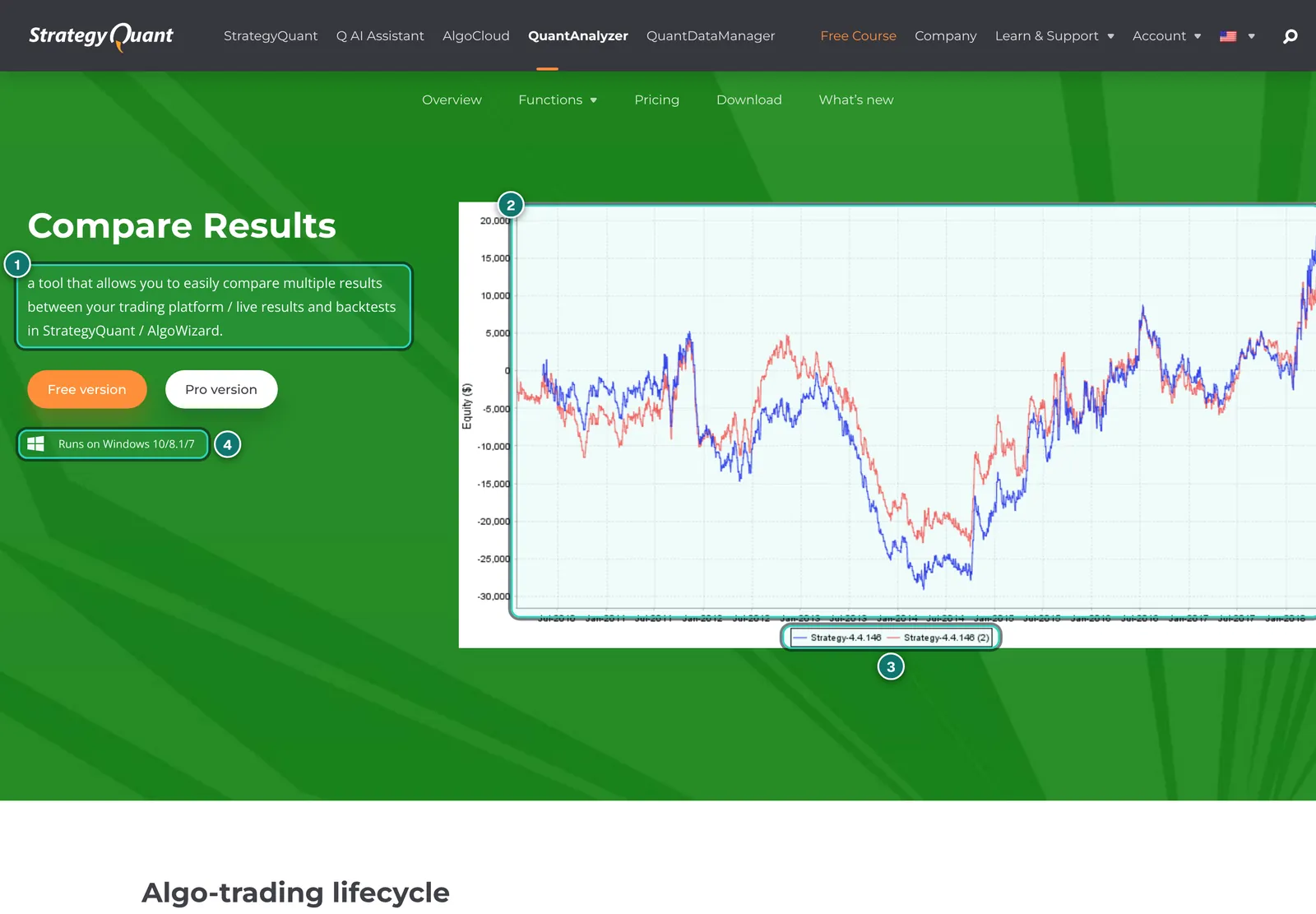
Later, once the EA runs on demo or live, Compare Results places the statement next to the backtest so you see where they diverge; in the free version for the first 50 trades. How to combine several EAs sensibly and why correlation matters more than single returns is covered in EA portfolio management.
The free version runs on Windows only. On a Mac you need a Windows environment, even though SQX itself runs on Mac.
Step 10: Demo and forward test, then small live
No backtest replaces the real market. Run the exported EA first on a demo account at the same broker it will use later, ideally on a VPS so it does not depend on your computer. Check the Experts and Journal tabs for errors every day.
As a rule of thumb, allow a few months or 100 to 300 trades before comparing drawdown and hit rate with the backtest. Then move to a live account with the smallest lot size, because demo execution and real execution differ. Decide beforehand when you switch off: for instance when drawdown exceeds one and a half times the worst Monte Carlo value. How to read an equity curve in a forward test is shown in Equity curve explained.
The most common mistakes
| Mistake | Consequence | Better |
|---|---|---|
| Spread at minimum, no commission | strategies with many small trades look profitable | enter a realistic average spread, commission and slippage |
| Tested only with Selected Timeframe only | stops and targets inside a candle misjudged | retest candidates with 1 Minute data or Real Tick |
| No out-of-sample, or looked at it repeatedly | the test period turns into a training period | fix the out-of-sample beforehand and check it once at the end |
| Many building blocks, markets and timeframes | huge search space, many lucky hits | one market, one timeframe, few building blocks |
| Filters tightened or loosened after the results | hidden optimisation | write the filters down before the build |
| No retest in MetaTrader | deviations from engine and data go unnoticed | check the export in the Strategy Tester on broker data |
| Martingale or grid in money management | smooth curve, rare total losses | fixed lots or fixed risk per trade |
| Straight to live at full size | the first deviation costs real money | demo first, then the smallest lot size |
Realistic expectations
StrategyQuant writes in its own FAQ that SQX provides no ready-made profitable robots and guarantees no results. That is the right expectation. A generator saves you programming and makes systematic searching faster; it takes neither the methodology nor the risk off your hands. Expect most candidates to fail the robustness tests, the retest or the forward test, and expect that even a passed forward test is no guarantee for the following months. Markets change, and a strategy that worked for two years can stop working in the third.
What is realistic: after weeks of learning you have a handful of strategies that survived several independent checks and that you run with small risk and clear switch-off rules. If you lack the time for this route, a tested ready-made EA is often the better choice; our tests with real accounts are under EA reviews.
Sources
StrategyQuant documentation, as of 2026-11-07 (public, no login; the last update date is shown on each page):
- Introduction – What is StrategyQuant (workflow, "only about 50% of the work", one in a thousand strategies passes the robustness tests)
- How does StrategyQuant work? (random generation and genetic evolution)
- Recommended workflows for building strategies (five steps, fast testing precision for searching, overfitting warning)
- Builder (Progress, Full settings, Results views, databank)
- Settings – Data (Trading Engine, testing precision, spread, slippage, commission and swaps, data range parts)
- Settings – Genetic options (generations, population, islands, evolution restart)
- Settings – Ranking (fitness, databank, filtering conditions)
- Cross checks (order of robustness tests, computing time)
- Types of robustness tests in SQX (Monte Carlo variants, IS/OOS, multi-market)
- Source Code (export formats, parameters, money management)
- QuantAnalyzer – Loading reports (Load report, advanced options, Symbols table)
Prices, editions, trial, systems, export targets, build 145, Q and the limits of QuantAnalyzer Free and Pro come from our StrategyQuant X review and QuantAnalyzer review, as of 2026-11-06.
Not investment advice. Trading forex and CFDs is risky; generated strategies and backtests show the past, not the future.
AdLinks marked "Ad" are partner links: if you open an account or sign up through one, we receive a commission, at no extra cost to you. It does not change our ratings or what we write.