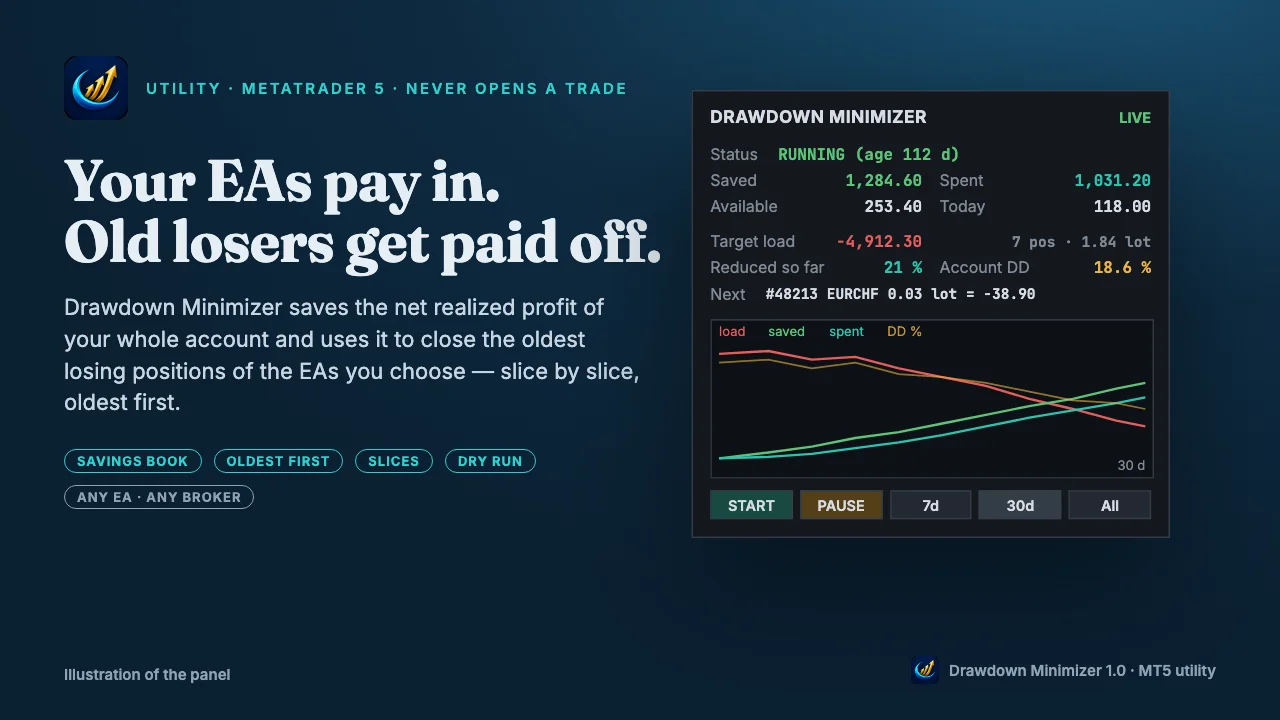
Drawdown Minimizer is a utility for MetaTrader 5. It does not trade. It keeps a savings book of the net realized profit of your whole account and uses that book to close the oldest losing positions of the EAs you choose – slice by slice, oldest first. Winners and every other EA on the account stay untouched.
One thing first, because it is the part most often misunderstood: closing a loser with saved profit does not change your equity. The floating loss becomes a realized loss, paid for by profit that was already sitting on the balance. What you gain is a smaller open book. What you give up is the chance that the old position would have come back.
As of 16 October 2026: Drawdown Minimizer is available on the MQL5 Market: 49 USD for the unlimited licence, 30 USD per month to rent. There are no buyer reviews yet. What has been tested so far, and what has not, is in the section "Tested – and what is still missing" further down.
Why it exists: by traders, for traders
Since June, one of the grid EAs on our own account – Dark Kronos – has been stuck in drawdown. Its old positions pay swap every night. At the same time the other EAs on the account keep booking profits, and those profits just sit on the balance. Two things that never met: money coming in on one side, old positions costing money on the other.
Drawdown Minimizer connects the two. The developer runs it on exactly that account himself.
The savings book
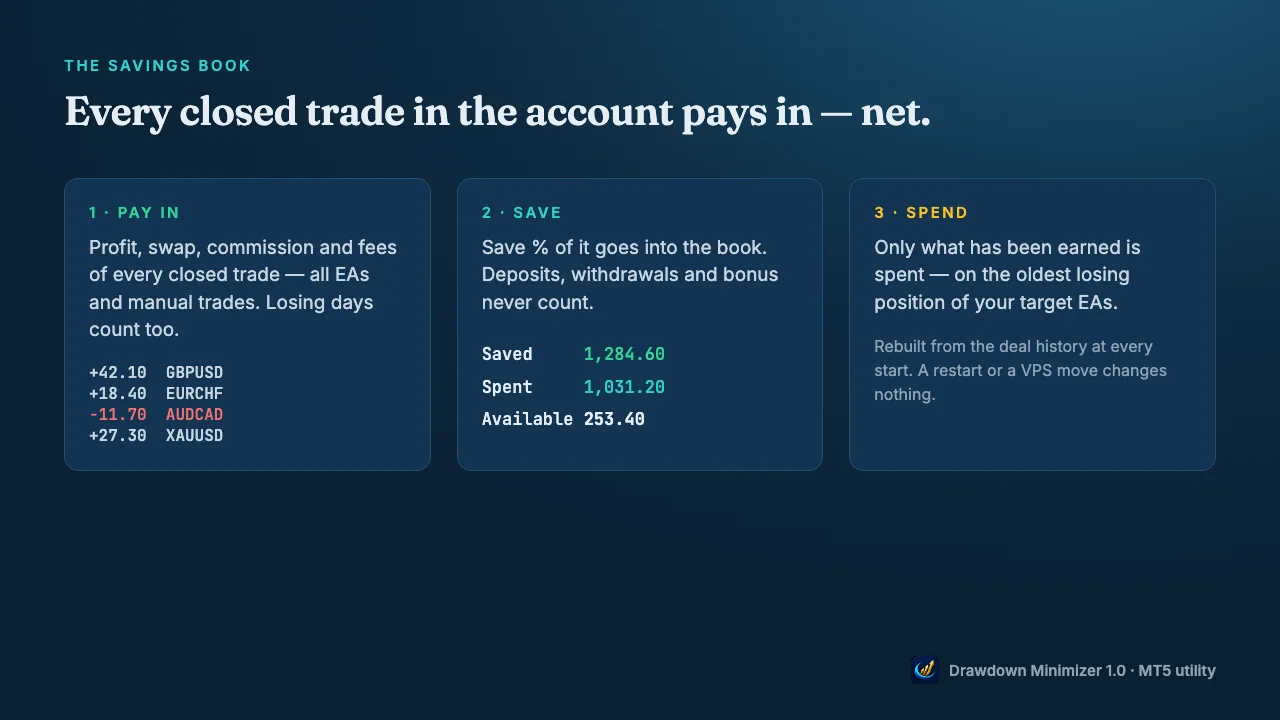
Every closed trade on the account pays into the book – net: profit plus swap plus commission plus fees. That includes all EAs and your manual trades, and losing trades count too, so a bad day reduces the book. What does not count: deposits, withdrawals, credit and bonus, and the tool's own closes.
The input Save % decides how much of that net result goes into the book. The default is 100 %. If you only want to spend part of your profits on old losers, set it lower.
Only what has been saved can be spent. The panel shows the book as Saved, Spent and Available, plus what came in Today.
An optional start date lets the book include older profits. An optional max spend per day caps how much of the book can be used in one day.
What gets closed, and how
You list the magic numbers of the EAs whose old losers you want to reduce. Only their losing positions are candidates. Winning positions and positions of other magic numbers are never touched.
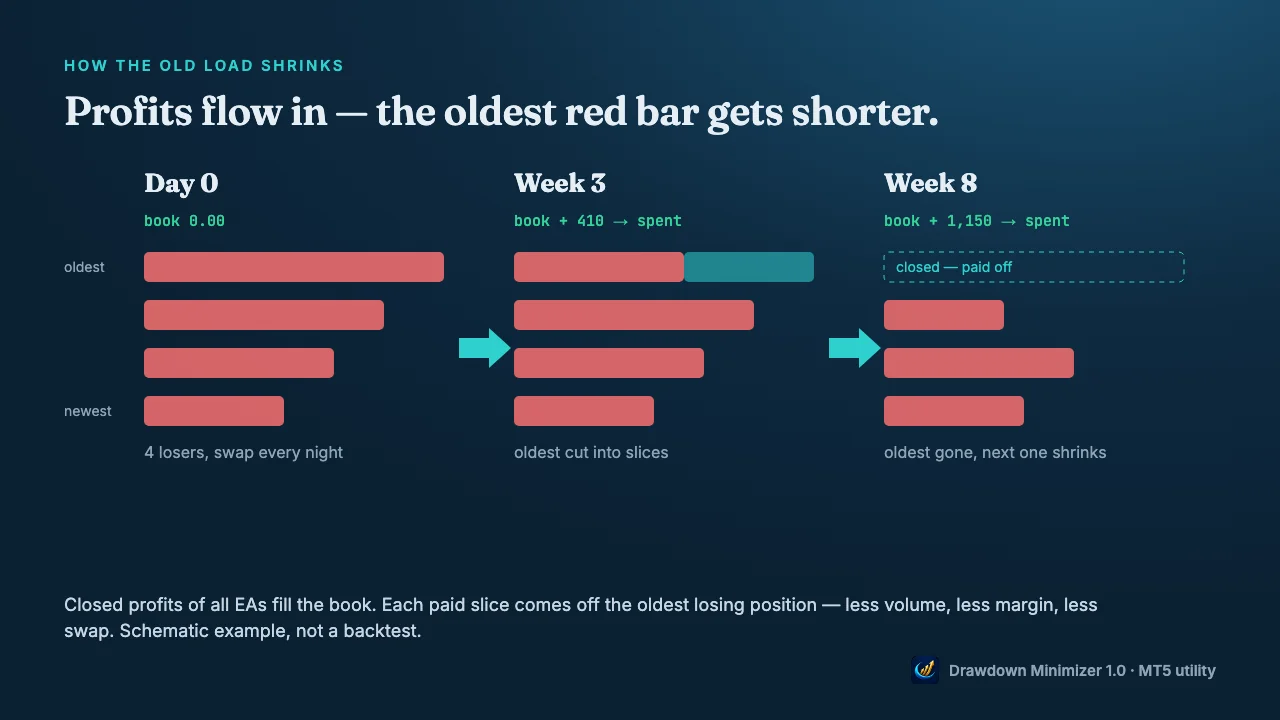
- Oldest first. The oldest losing position of your target EAs is always next.
- In slices. Each slice is one lot step of the position, closed as soon as the book can pay for it. A small rest is closed together with the last slice, so no crumbs are left behind.
- Mode Whole. If you prefer, the tool only closes complete positions, never part of one.
- Pace. At most one close per interval (default 30 seconds). Optionally only while the spread is below a limit you set.
- Broker errors. If a close fails, the tool pauses and tries again.
The honest part: what it changes and what it costs
This is the section that matters before you switch anything on.
What it does not do: it does not make a loss disappear. At the moment of each close your equity stays the same – the floating loss is realized, and saved profit that was already on the balance pays for it. Your balance goes down by that amount, your floating loss by the same amount.
What you gain:
- Less open volume and less margin tied up in old positions.
- No more swap on positions that are months old. Every night a closed slice stops paying.
- A smaller risk of a deeper drawdown. Less open volume against you means less that can go further wrong.
What it costs: if price comes back, the way back is gone for every slice that has been closed. A grid that would have recovered on its own recovers less, because part of it is no longer there.
Check how your EA reacts. Some grid EAs size the next level from the volume that is still open. If the tool closes part of the grid, such an EA may behave differently afterwards. That is what dry run is for (below).
When it starts
Three triggers, any of which can start it:
- by the age of the oldest target position (for example: only positions older than a certain number of days),
- by the account drawdown in percent,
- by the START button.
PAUSE always wins – whatever the triggers say. With Keep running once started the tool does not stop just because the trigger condition goes away again.
Dry run first
Dry run is on by default. In dry run the tool closes nothing; it writes to the Experts journal what it would close, for example:
DRY RUN: would close 0.03 of #… (-38.90)
Let it run like that for a while next to your EAs, read the journal, and only switch dry run off once you know what it would do and how your EA would react.
The panel
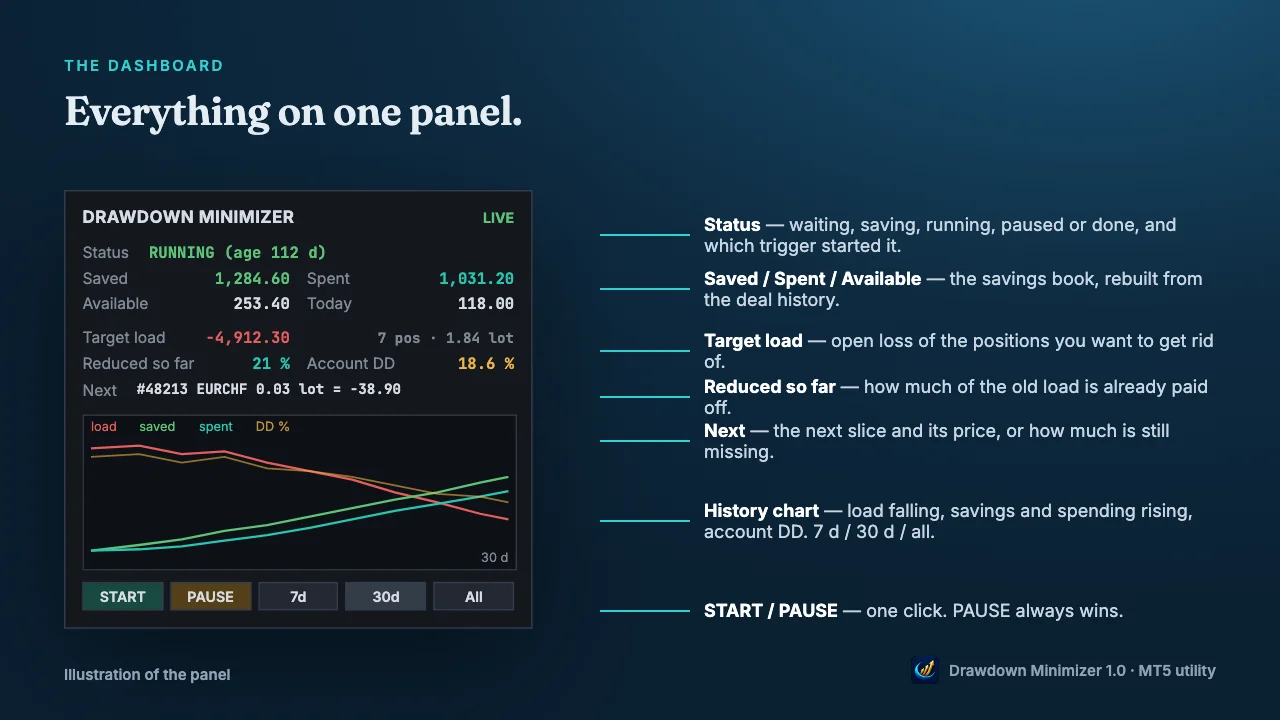
Everything sits on one panel on the chart: status (with the trigger that started it), Saved / Spent / Available / Today, the target load (open loss of the positions you want to get rid of), how much of it has been reduced so far in percent, the next slice and its price, and a history chart of load, saved, spent and account drawdown over 7 days, 30 days or all. START and PAUSE are one click each. Push notifications keep you informed on the phone.
Tested – and what is still missing
State as of 16 October 2026:
- Self test of the calculation logic: 57 of 57 checks passed in a real MT5 terminal on 15 October 2026.
- Not yet proven: real closing in the Strategy Tester.
- Live test: running on the developer's own account – the one described above.
- Not available yet: buyer reviews and experience from other traders.
Drawdown Minimizer gets no AlgoVerdict rating. Our methodology is built for brokers, prop firms and Expert Advisors with a strategy of their own; a tool that never opens a trade has no comparable criteria. This page therefore describes what the tool does and does not grade it.
Requirements
- MetaTrader 5, hedging or netting account.
- One instance per account – the savings book covers the whole account.
- Algo Trading must be allowed in the terminal and in the program's settings.
- The terminal has to run around the clock next to your EAs, on the same account – see VPS for Drawdown Minimizer.
- Which broker conditions matter (swap, hedging or netting, volume step) is covered in brokers for Drawdown Minimizer.
Risk warning
Trading forex and CFDs on margin carries a high risk of loss. Drawdown Minimizer turns floating losses into realized ones; it does not undo losses and does not make an EA profitable. Grid and martingale EAs carry their own risks – see grid and martingale EAs: the risks.
Where to get Drawdown Minimizer
Drawdown Minimizer has been available on the MQL5 Market since 16 October 2026, in the MT5 Utilities category: 49 USD for the unlimited licence, 30 USD per month to rent.
Go to the MQL5 product page· 49 USDOur own product · not a partner link, we earn from salesRead next: brokers for Drawdown Minimizer · VPS for Drawdown Minimizer